
Book an Experience for your family
Choose who is coming and which dates, pick a price option and add-ons, then book for free, pay, or send a request.
Book
- Open the Experience and tap to book.
- Under Who's coming, choose your children, tap I'm coming if you are attending, or Add a guest (an adult or child guest, with their name and age).
- Under Which date(s)?, pick the dates you want, or Select all dates for a series.
- Choose a price option if there is more than one, add any add-ons, and enter a discount code if you have one.
- Add a A note to the host (optional), such as allergies or a question.
- Finish with Book for free, Continue to payment, or Send Request when the host approves each booking.
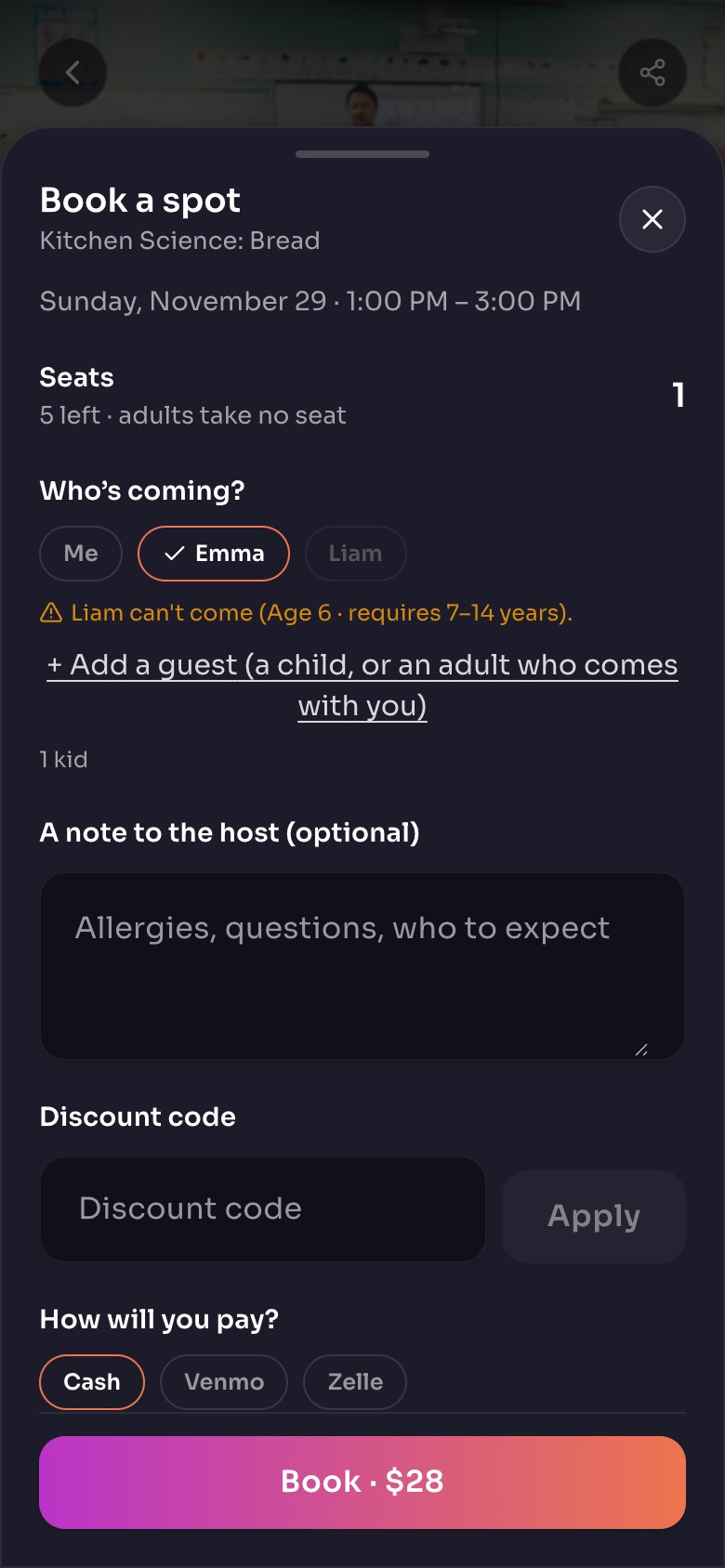
Booking a spot: the booking sheet
- Who's coming?Pick each child. Anyone outside the age range is greyed out.
- Add a guest
- A note to the hostAllergies, questions, who to expect.
- How will you pay?The ways this host takes payment.
- BookOr Send request, when the host approves each booking.
Sample family shown. Your screen shows your own name, Experiences and groups.
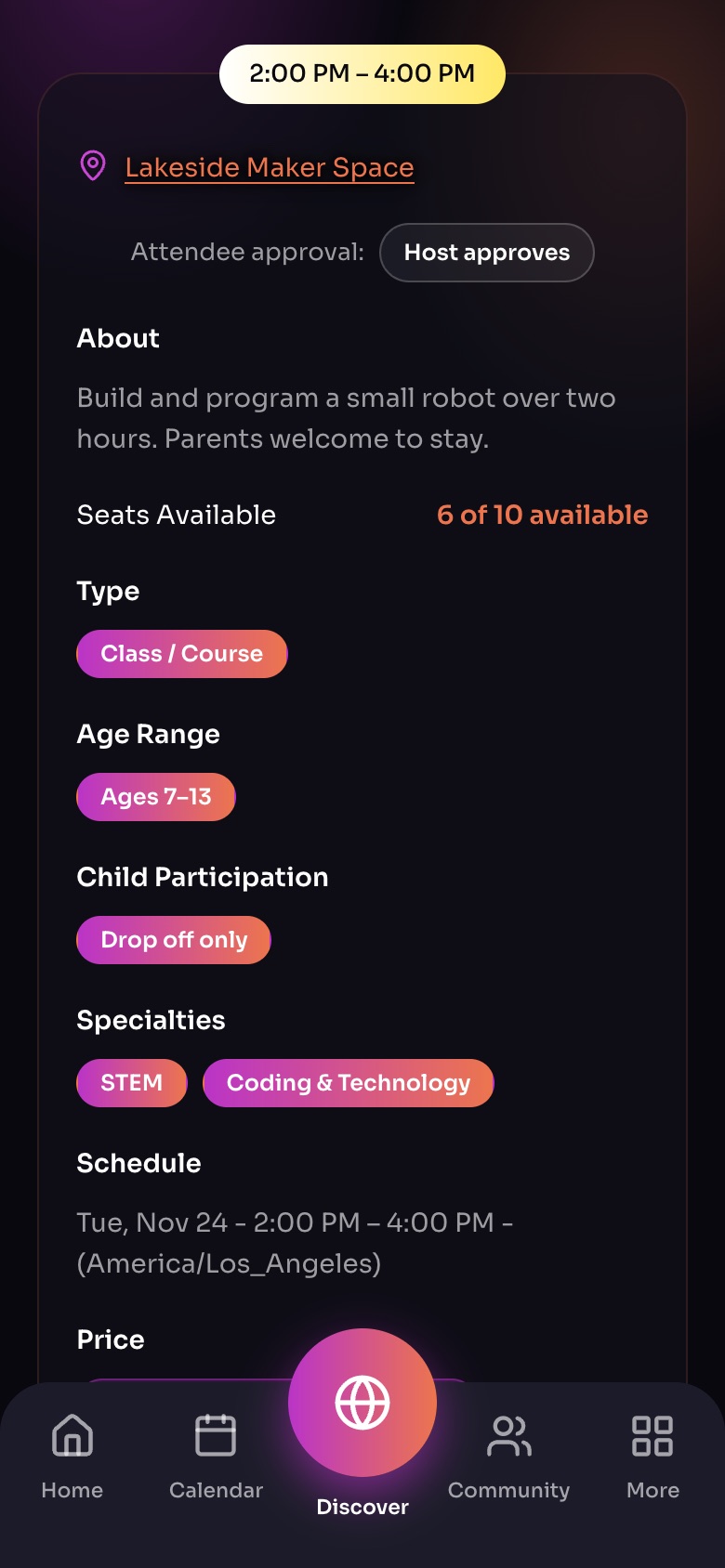
The details on an Experience page
- Attendee approvalHost approves: you send a request. Automatic: you are booked straight away.
- SeatsHow many spots are left.
- Age range
- Child participationWhether parents stay, can stay, or drop off.
Sample family shown. Your screen shows your own name, Experiences and groups.
What happens next
Your booking appears in Calendar › My Bookings and in More › My Bookings, with its status. See What booking statuses mean.
Note: On the free plan you can make 5 bookings a month. The count resets on the 1st. Premium removes the limit.
Did this answer your question?
Still need help?
Send the team a request and a person will answer, usually within two working days.