
Invite friends with your personal codes
Every member gets 5 single-use invite codes. Generate, share and track them in Invite a Friend.
Generate a code
- Open More › Invite a Friend.
- Tap Generate Invite Code. The first time, confirm it's you by email link or text code.
- Tap Copy or Share to send it. The message includes the code and a sign-up link.
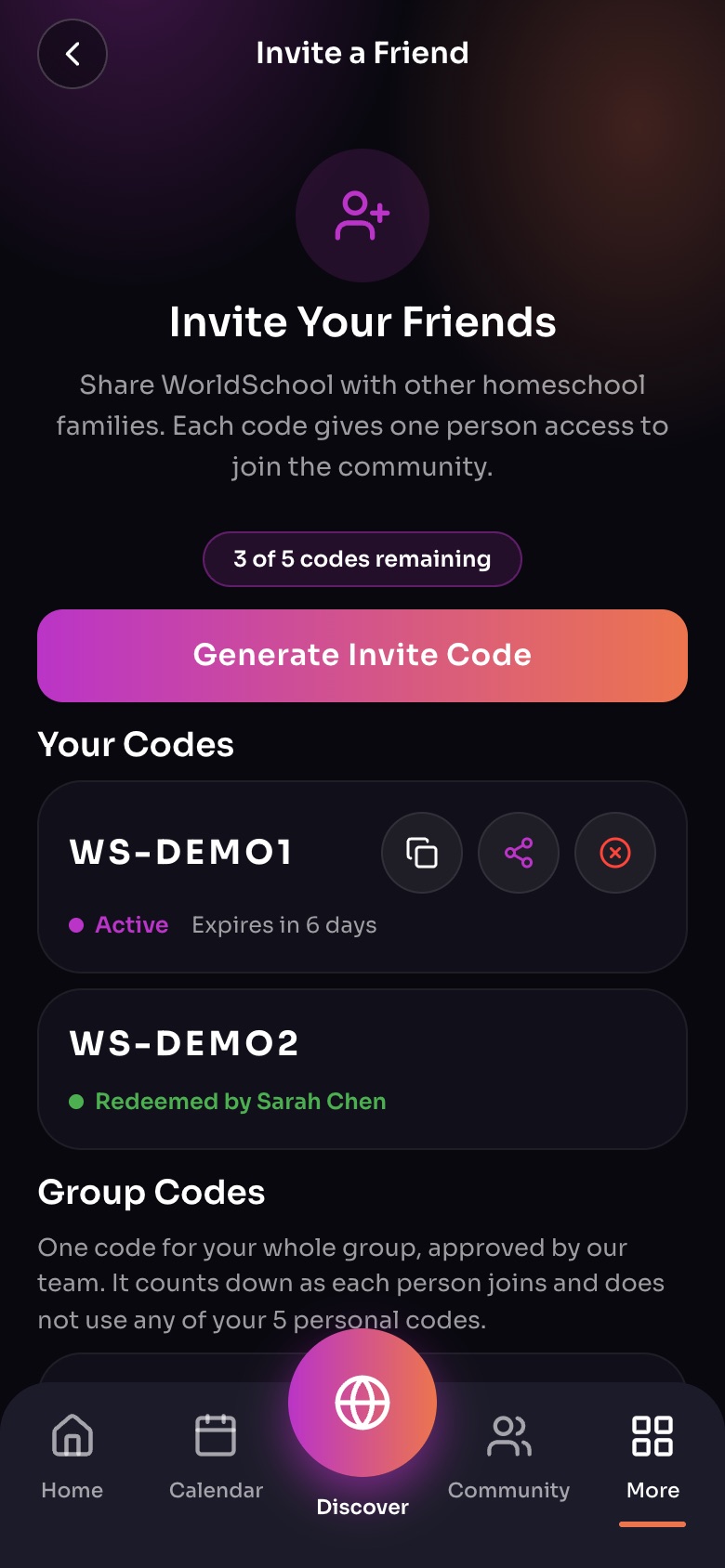
Invite a Friend (More, then Invite a Friend)
- Codes leftFive personal codes; each lets one person join.
- Generate Invite Code
- A codeCopy it, share it, or cancel it. Active until it is used or expires.
- Group CodesOne code for a whole group, approved by our team.
Sample family shown. Your screen shows your own name, Experiences and groups.
How codes work
- You have 5 personal codes. Each works for one person only.
- Codes expire after 30 days if unused.
- Deleting an unused code frees a slot; used codes still count toward your 5.
Track them
Each code shows its status: Share pending, Redeemed by the person who joined, Expired or Cancelled. Sent one by mistake? Tap Mark as not shared or delete it.
Important: Codes are private. Share them only with people you know, to keep our community real and human.
Did this answer your question?
Still need help?
Send the team a request and a person will answer, usually within two working days.