
Find and join groups
Browse suggested groups, request to join, answer join questions, follow groups, and leave a group.
Find groups
Open Community to see My Groups and Suggested Groups, or tap Browse Groups. In Discover, switch to Community › Groups to find them on the map.
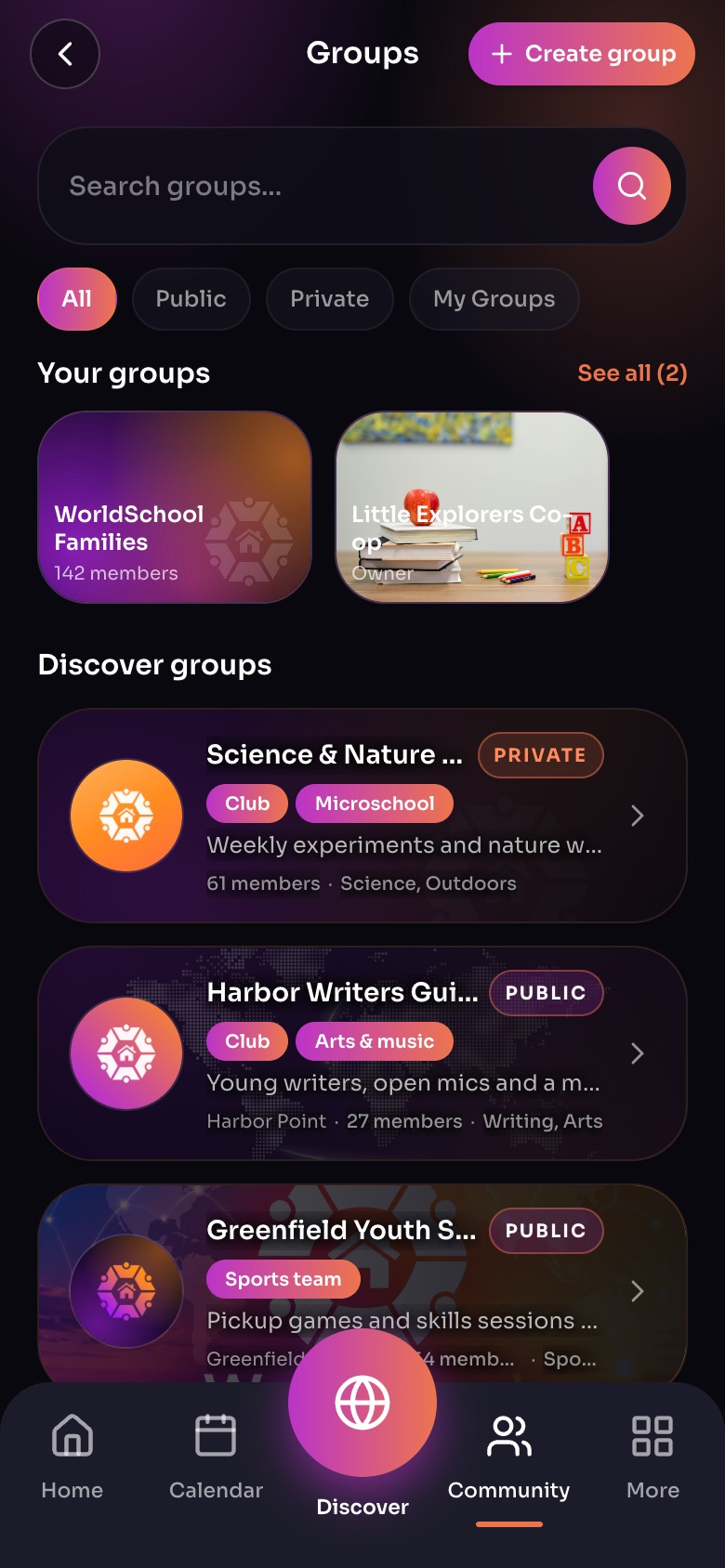
Groups (Community, then Groups)
- Create group
- FiltersAll, Public, Private or only your groups.
- Your groups
- Discover groupsGroups near you to join or follow.
Sample family shown. Your screen shows your own name, Experiences and groups.
Join
Tap Join Group for a Public group, or Request to Join for a Private one. If the group has join questions, answer them; leaders see your answers. Your request shows Request Pending until a leader answers. Invitation Required means you need an invite from a member.
Ask first
Not sure? Tap Message group admins to ask the leaders a question without joining.
Follow
Some groups let you Follow them to see their news and Experiences without joining. Tap Following to unfollow.
Leave
Open the group and tap Leave Group.
Still need help?
Send the team a request and a person will answer, usually within two working days.