
Create and publish your first Experience
Step by step: pick a type, add a photo and description, set seats, ages, dates, visibility and price, then publish or save a draft.
Anyone on WorldSchool can host: parents, teachers, tutors, mentors and local businesses.
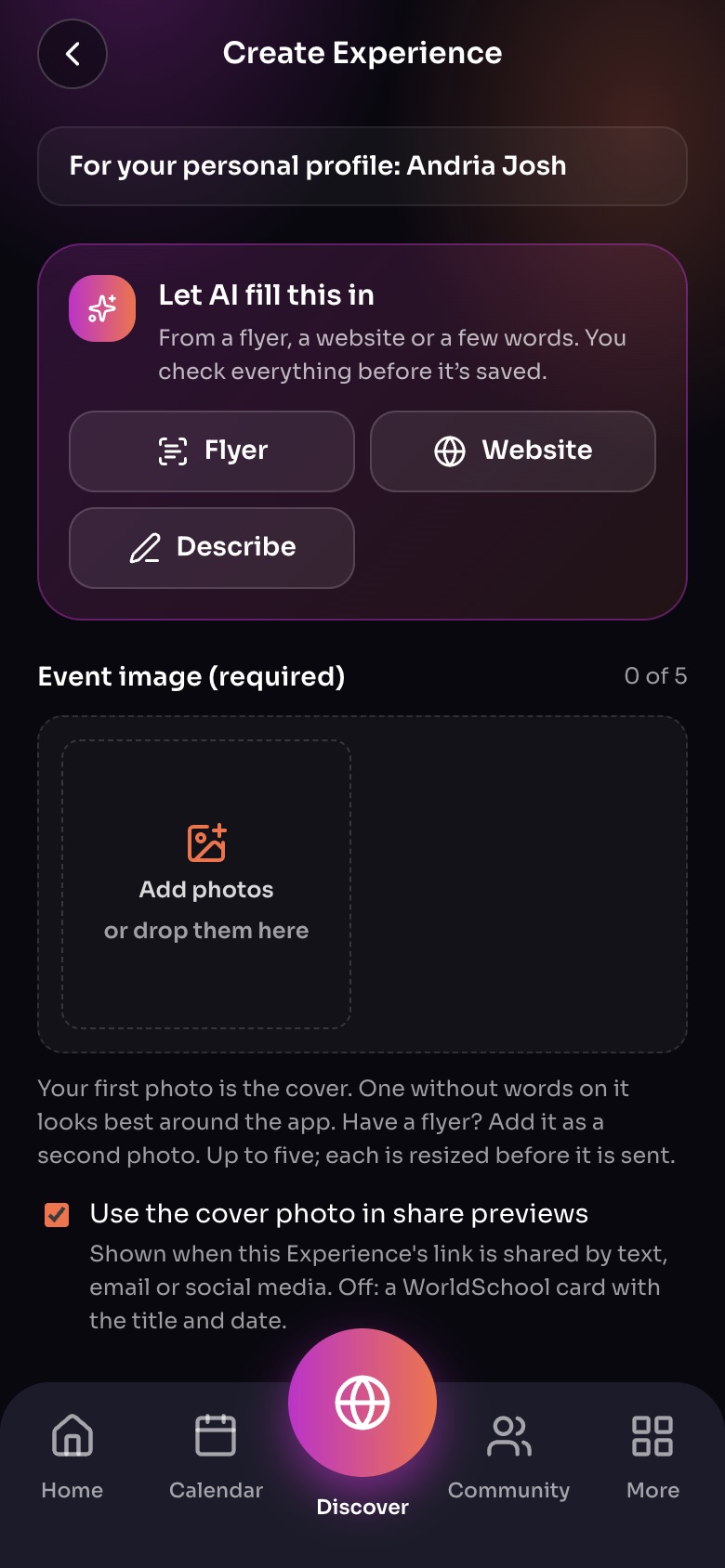
Create Experience
- Who it is forYour own profile, or a group you lead.
- Let AI fill this inStart from a flyer, a website or a few words; you check everything.
- PhotosUp to five; the first is the cover.
Sample family shown. Your screen shows your own name, Experiences and groups.
Start
Tap Create Experience in Home's Quick Actions, or Add Experience in Calendar.
Fill it in
- Add an event image. It is required and appears on cards and in share previews.
- Choose the Type of Experience. See Experience types.
- Give it a name and describe your offering: what children will do, what to bring, and who it suits.
- Set Total Spots, ages, topics, the language it is taught in and your teaching approach.
- Choose how it happens: In person (with an address), Live online, or On demand.
- Set the start date, time and time zone, and whether it runs more than one day or repeats.
- Choose who can see it and how people join. See Visibility and Approving bookings.
- Make it Free or Paid and set your prices. See Set your prices.
- Tap Save to publish, or Save as draft to finish later.
Tip: Short on time? Tap Let AI fill this in and give it a flyer (up to 4 photos or a PDF), your website, or a few sentences. Check every field before you publish.
Drafts
Drafts sync between the app and the web, so you can start on your phone and finish on a computer. Find them under Your drafts.
Note: On the free plan you can host 5 Experiences a month. Premium removes the limit.
Still need help?
Send the team a request and a person will answer, usually within two working days.