
Public, Private and Secret Experiences
Choose who can find your Experience: everyone, only your friends or group, or only people you invite.
Set Event visibility when you create or edit an Experience.
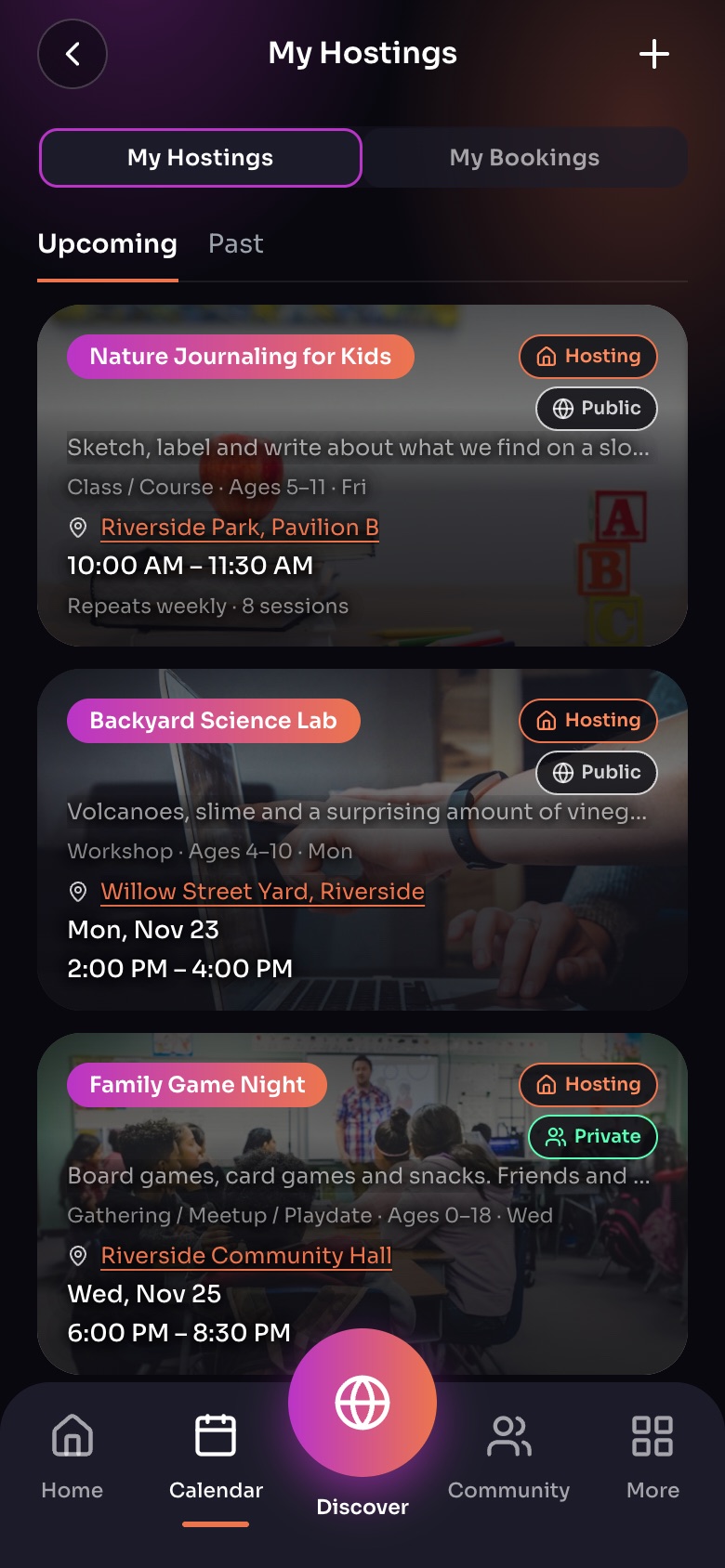
My Hostings: everything you host
- My Hostings / My Bookings
- Upcoming / Past
- HostingYou host this one.
- Who can see itPublic, Private (friends) or Secret (invite only).
Sample family shown. Your screen shows your own name, Experiences and groups.
The choices
- Public: anyone on WorldSchool can find it and ask to join.
- Private: only your directly connected friends can see it. Inside a group, only the group's members.
- Secret: only people you invite. Use Invite people to choose them. Invitees cannot pass it on.
Rules that apply
- A Secret profile cannot host Public Experiences; its Experiences are Private or Secret.
- Experiences in a Secret group can only be Private or Secret.
- Private is shown with a green "Private" label so families know it is just for them.
Tip: Visibility decides who can see it; approval decides who can book. A Public Experience can still need your approval for each booking.
Did this answer your question?
Still need help?
Send the team a request and a person will answer, usually within two working days.